Hawkeye AI Bridge
Connect Hawkeye to your AI coding assistant. Search a 54,000-file codebase in under a second — 91% fewer tokens than grep, runs fully local.
Works with Claude, Cursor, VS Code Copilot, and OpenCode.
Before you start
Hawkeye installed — the search engine that indexes your codebase.
A project indexed in Hawkeye — the Bridge queries your local Hawkeye index, so your codebase needs to be indexed first. Open Hawkeye, add your project folder, and let it finish indexing before continuing.
Installation
Pick the package that matches your tool:
MCP Bundle (.mcpb) — Claude Desktop. Double-click to install if it is a known file type; otherwise go to Settings → Extensions → Advanced settings and load it from there.
CLI Bundle (.zip) — Cursor, VS Code Copilot, OpenCode, or Claude Code CLI. Unzip and follow the included setup guide for your editor.
Artifact (.html) — Standalone browser search interface. No AI assistant required.
Verify it's working
Once installed, open your AI assistant and ask:
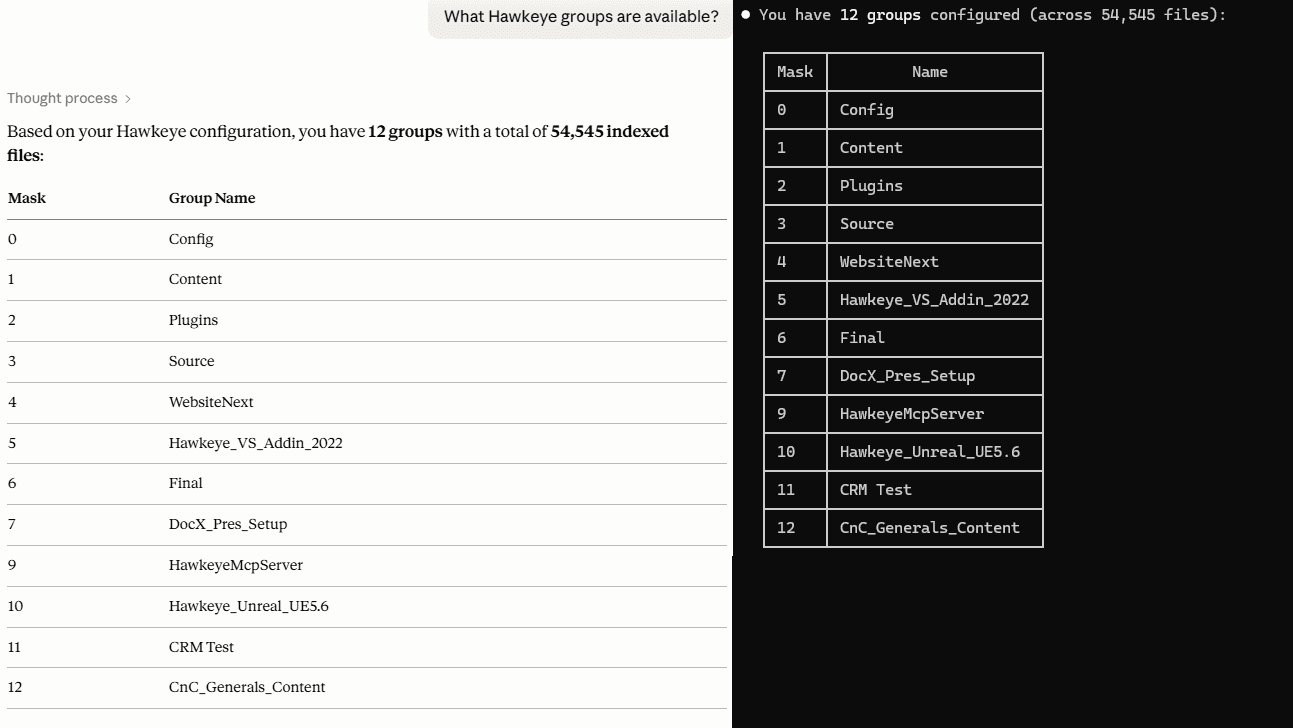
"What code groups do I have?"
You should see your Hawkeye search groups listed back. If you do, you're ready to search.
If nothing comes back, check that Hawkeye is running and that your project is indexed.
On-prem solution
Hawkeye runs entirely on your machine. The Bridge queries your local index — nothing leaves your network.
No cloud uploads
No telemetry
No search tracking
Full data control
Lean search results
Instead of raw grep output, Hawkeye returns compact file/line pairs — exactly what the AI needs and nothing it doesn't.
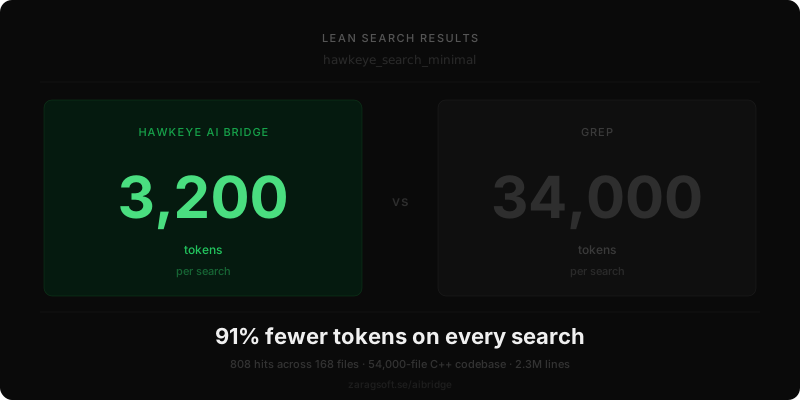
On a real search across 54,000 files returning 808 hits:
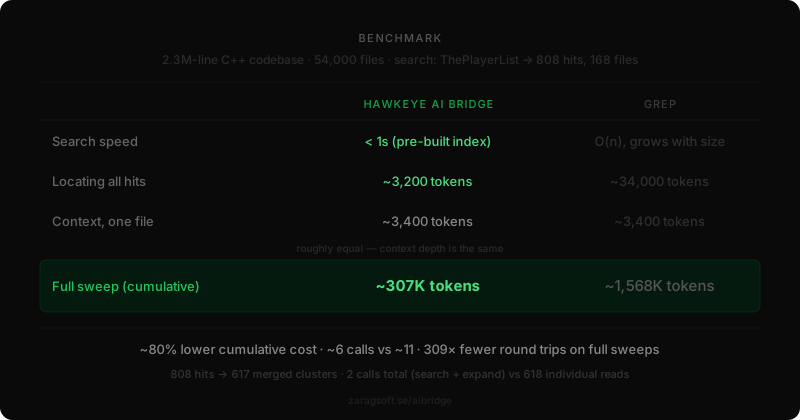
grep: ~34,000 tokens
Hawkeye AI Bridge: ~3,200 tokens
91% fewer tokens on every search.
Batched context retrieval
Once the AI has its search hits, it retrieves readable code snippets for all of them in a single follow-up call. Nearby hits in the same file are automatically merged into one snippet — no overlap, no repeated lines.
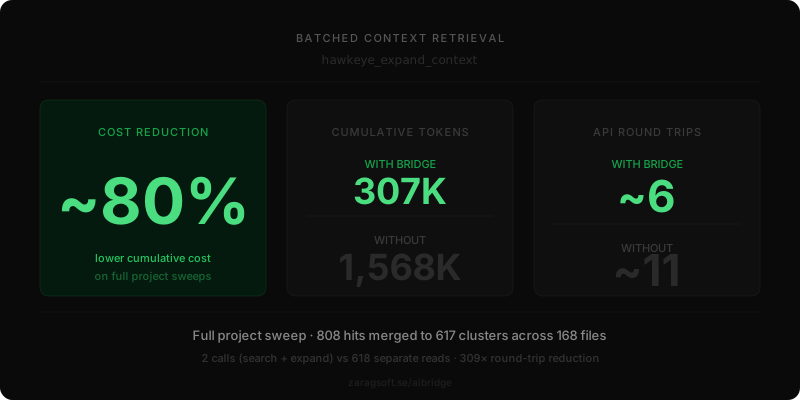
Same 808-hit search, full project sweep:
Without Bridge: ~11 separate chunk reads
With Bridge: ~6 calls total
~80% lower cumulative token cost — ~307K tokens vs ~1,568K tokens across the full sweep.
Natural language search
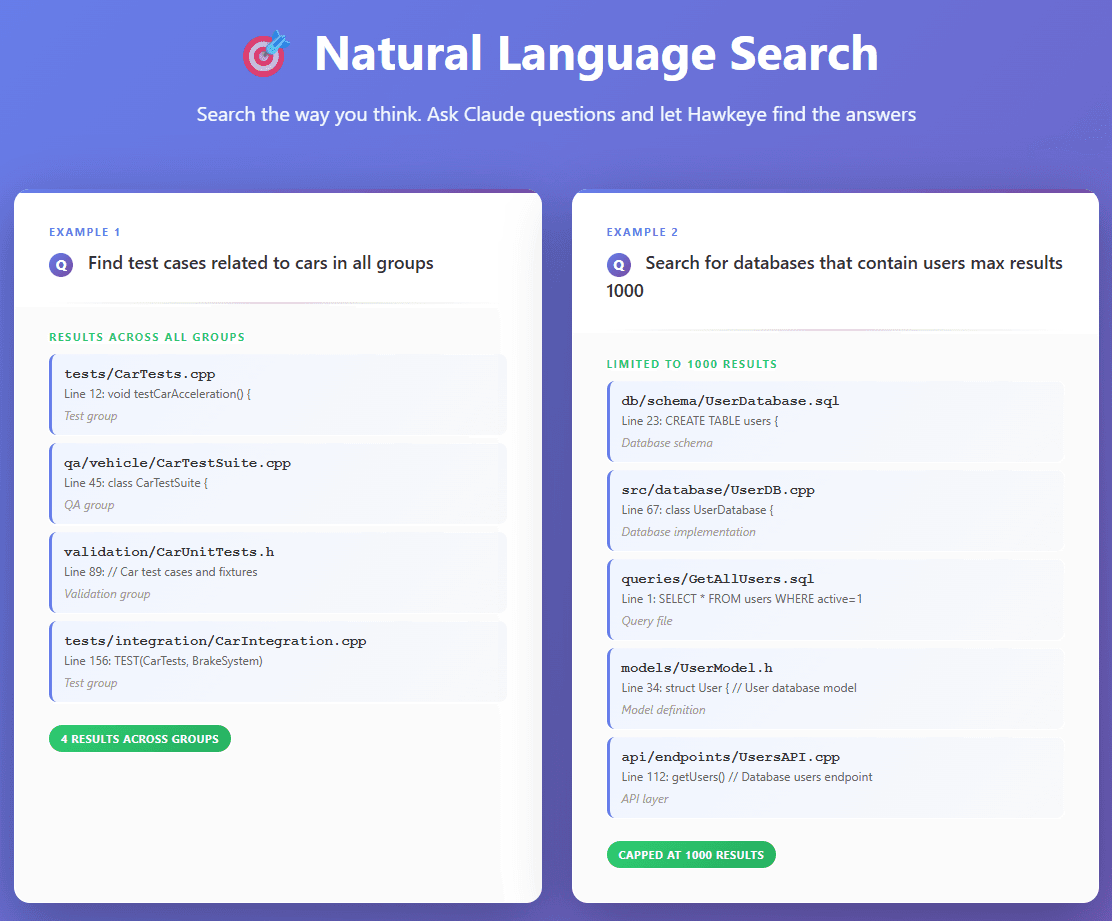
Search the way you think. Ask your AI assistant questions and let Hawkeye find the answers across your entire codebase.
"Find test cases related to cars in all groups"
"Find all connection pool setup code, max 500 results"
"Where is the player spawn logic?"
Browse before you ask
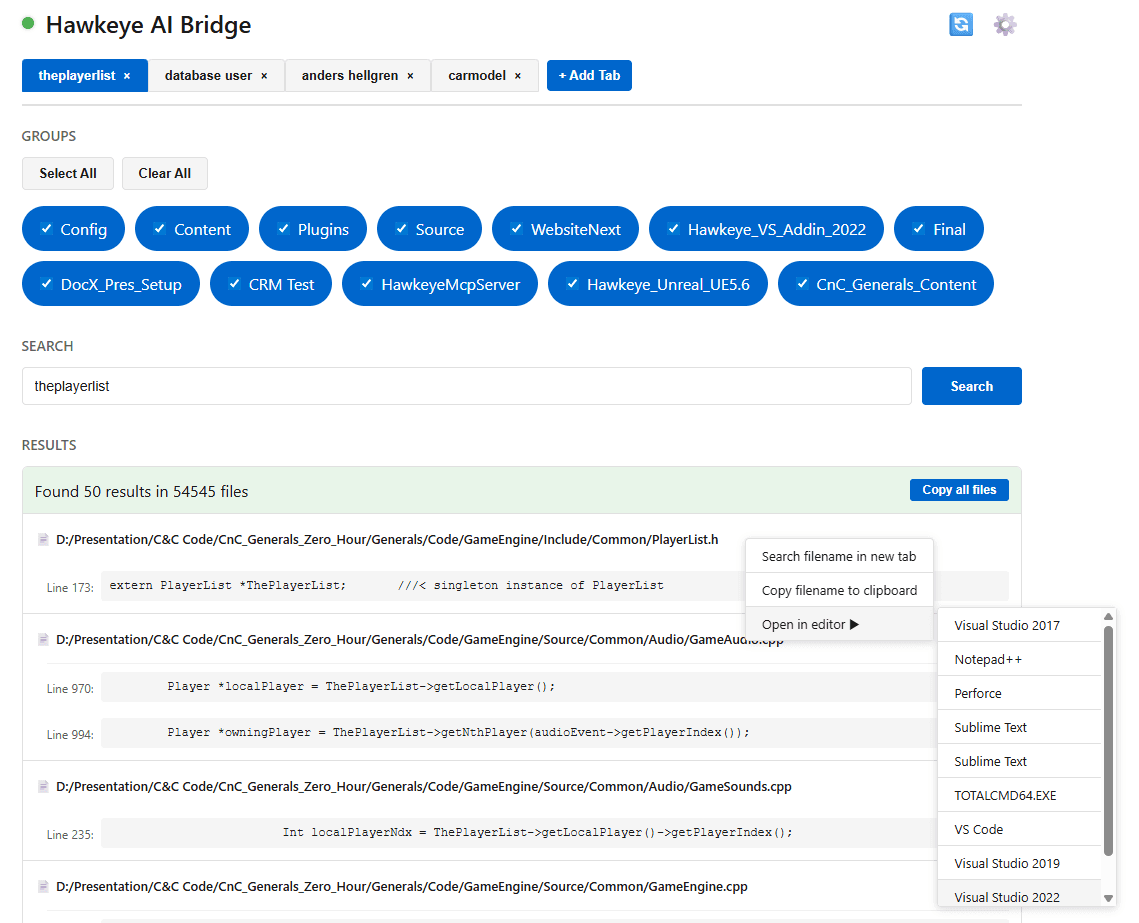
The Artifact is a standalone browser-based search interface that lets you explore your Hawkeye index without sending anything to the AI first. Filter by group, browse results, then send only what's relevant — keeping your AI context lean.
- Real-time search across thousands of files
- Group-based filtering
- Browse first, then send only what's relevant to your AI assistant
- Open results directly in your editor on the exact line
Benchmark
Tested on a 2.3M-line C++ codebase. The numbers below are from a real search — not a synthetic demo.