Overview. Search. Edit.

Hawkeye the fast way to search, overview and edit your code

Hawkeye is a search engine and navigation tool for developers working with large projects. Get instant results across 100K+ files and keep full overview of your codebase.
Developers

Find the overview and speed of the search engine a great improvement in their daily workflow.

Introduction

Lightning-Fast Search Engine for Instant Results

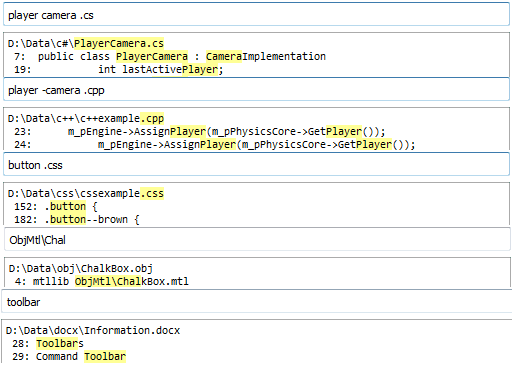
Experience the power of a truly lightning-fast search engine that delivers realtime results as you type. Even with over 100,000 files, our search engine responds instantly, giving you immediate access to the information you need. Fine-tune your search effortlessly with multiple keywords, excluded terms, file-extension filters, or case-sensitive options. Every filter updates instantly, allowing you to adjust and refine your search on the fly without ever slowing down. Discover how fast a modern search engine can truly be.

Hawkeye

Groups

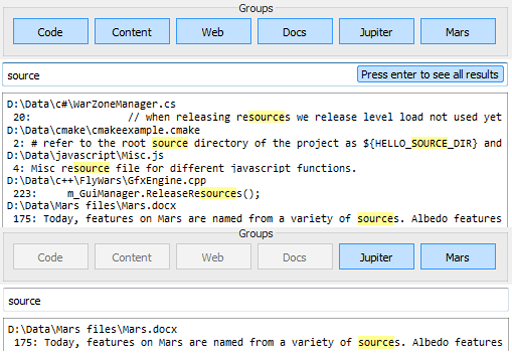
Easily manage your data by creating groups for one or more folders and naming them however you like, such as Code, Content, Text, or specific project names. Once grouped, you can quickly visualize and filter your data based on the groups you select. This makes handling large codebases or multiple projects simple, clear, and highly efficient, giving you better organization and faster results.

Hawkeye

Workflow

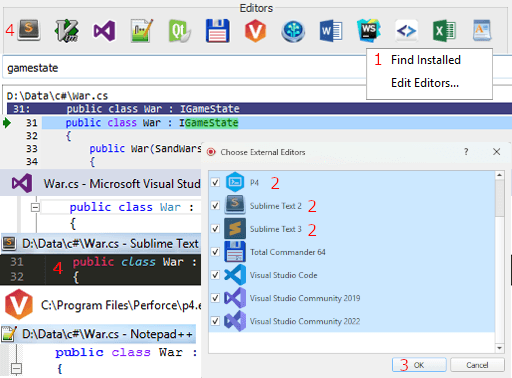
After your result has been found open your favorite editor from Hawkeye and continue on the found line instantly. No more hazzle when finding things your downtime is reduced to zero and you have more fun while working.

Hawkeye

More great features

Editing

Editing is supported inside Hawkeye as well. Allowing you to edit directly on your found result and your search gets updated as well when saving. Allowing you to refactor your code while seeing all the places it is used at the same time.

Focused replace

Replacing lines inside both content and code can be done simultaneously with focused replaced. Search for something you want to change then tweak all the lines at the same time. Either by replacing line by line or everything at once. Big refactoring is made really simple this way and allows iteration to be much faster. Connection to perforce also exists

Shortcuts

Support to change the bindings for each of the actions found inside Hawkeye has been added inside the options screen. Allowing you to keep the same workflow that you are used to.

Tabs

Keep track of your work state with multiple tabs, allowing for multiple searches to exist side by side. A widget that allows for switching to and from your latest tabs makes keeping track of what you are doing so much easier. Imagine google but for you local computer

“Hawkeye is the perfect search tool when working with large codebases.”

Jesper Rudberg - Doctor Entertainment